Check your email settings via your profile. On the app, click on "Profile" on the bottom navigation bar, and then on "Email and Notification Settings."
Make sure the boxes that are checked represent the type of communication you want to receive. The categories of email are split into general emails from Bookclubs, and notifications specific to any clubs you may be a member of.
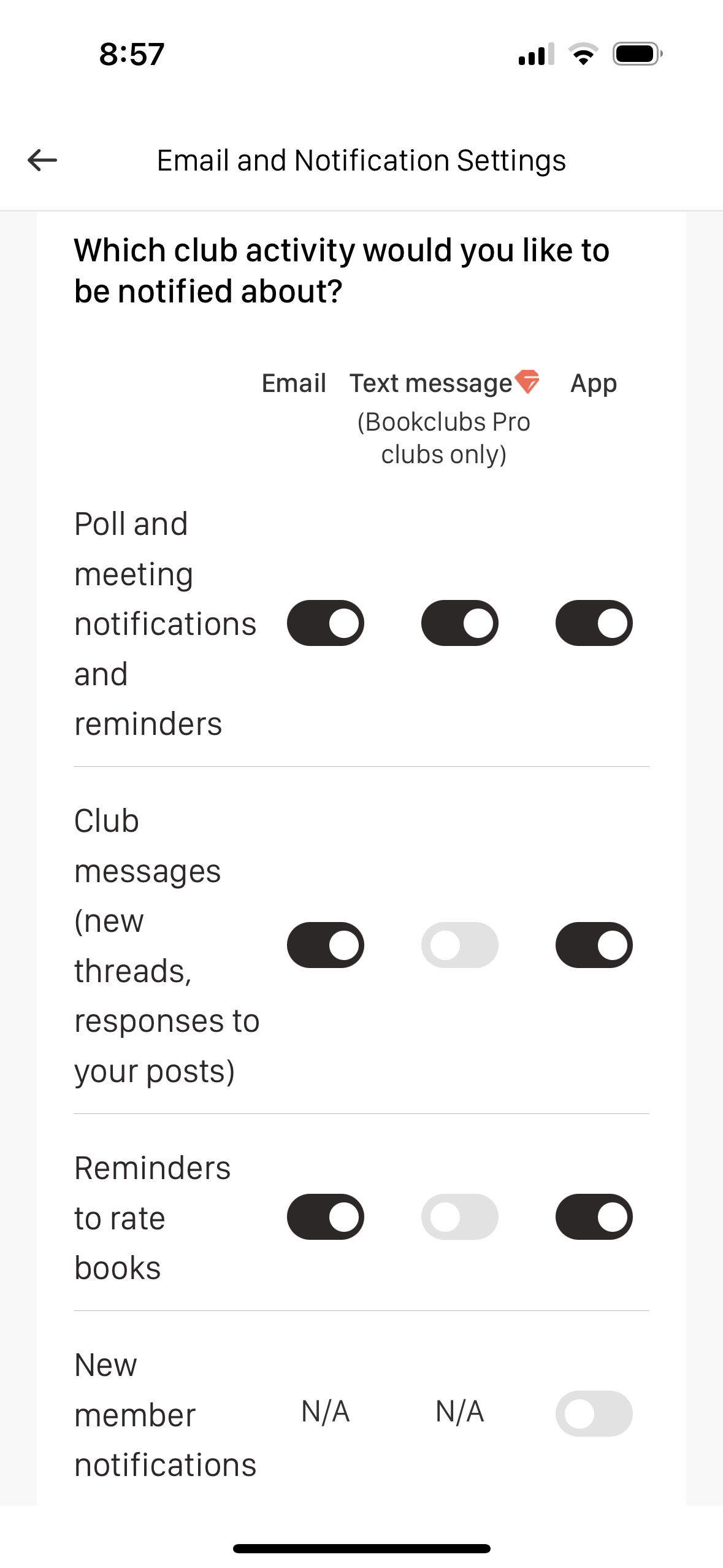
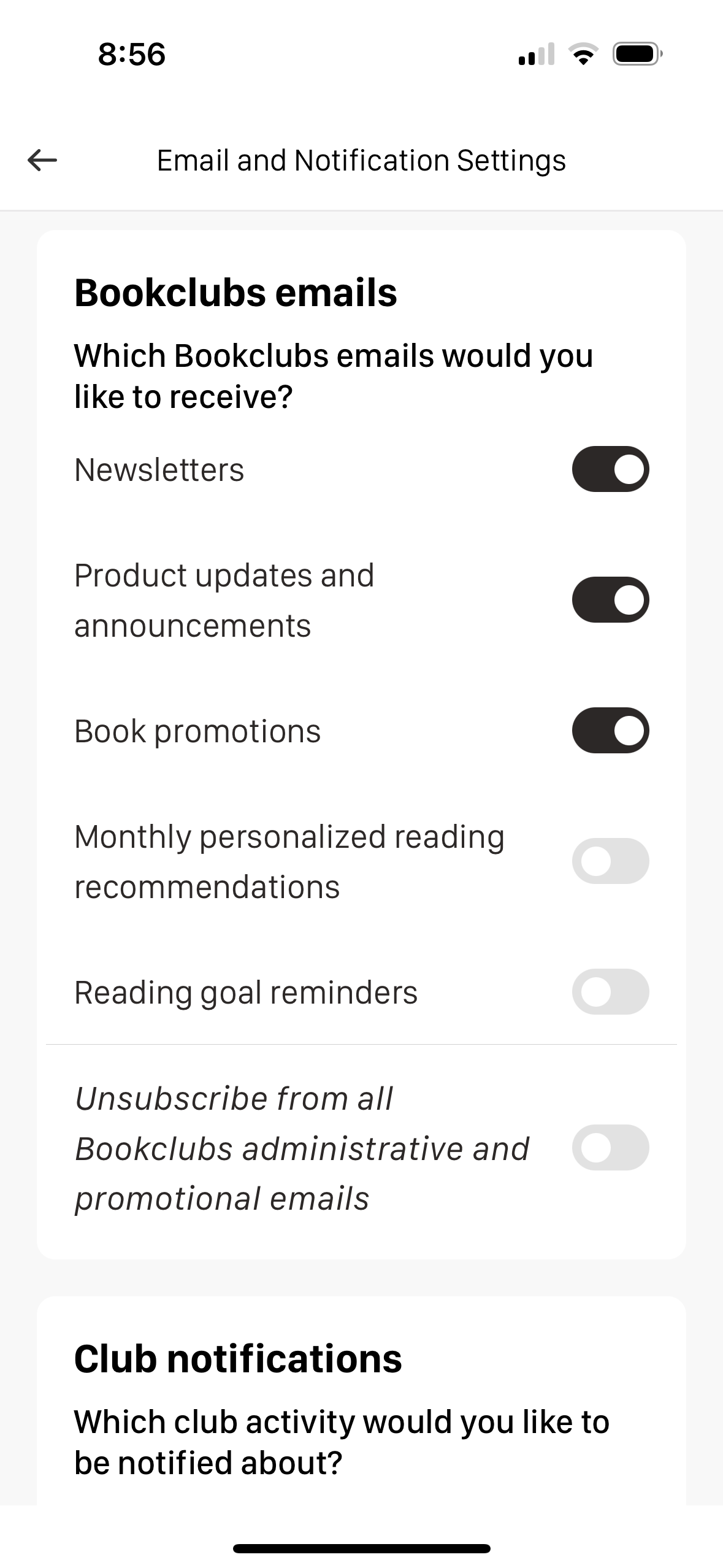
If the email settings look correct and you still are not receiving the emails, please check your email inbox's spam folders. If you find emails there, try adding no-reply@m.bookclubs.com and admin@m.bookclubs.com to your contacts to encourage your email provider to show these emails in your inbox.
If you are still not seeing any emails from Bookclubs, you may have marked a past email as spam. We take spam complaints very seriously and immediately unsubscribe anyone who flags our emails as spam from all future Bookclubs correspondence. The best way to avoid this is to not mark our messages as spam. If you believe this may have happened, please contact us after trying all previous steps, and we'll look into it.
Was this article helpful?
That’s Great!
Thank you for your feedback
Sorry! We couldn't be helpful
Thank you for your feedback
Feedback sent
We appreciate your effort and will try to fix the article